

Make better decisions by separating facts from assumptions
Known Knowns is a framework for separating what you know, what you still need to validate, and what remains uncertain. When those distinctions are clear, leaders can test the assumptions that matter, manage real uncertainty, and make decisions with a better understanding of the information underneath them.
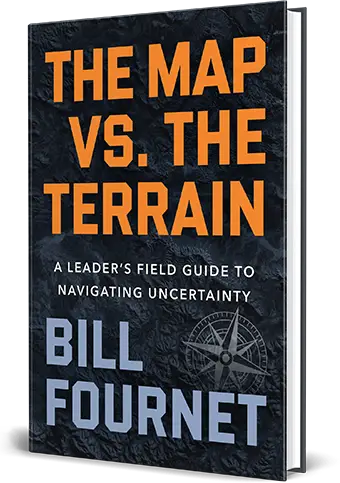
Bill writes about Known-Knowns in Chapter 3.
Get the book →Most decisions fail for a reason nobody flags until after the fact: the team never separated what they knew from what they assumed.
Known Knowns gives you a two-stage technique for catching that gap, before it costs you and after it teaches you something.
Before you move, split what you’re standing on from what you’re guessing at.
Known Knowns are facts you can back up with evidence.
Known Unknowns are the assumptions, dependencies, and open conditions everyone on the team already suspects matter, but nobody’s tested yet.
Some Known Unknowns you can and should resolve before you commit. Others can’t be settled in the time you have, so they become risks you monitor, mitigate, or build a plan around. Confusing the two gets expensive fast: chase certainty you can’t get and you stall the whole initiative. Skip a test you could’ve run and you’re betting the plan on a hunch. Known Knowns forces the split so you know which move the situation actually calls for.
EX: your team is finalizing the capital plan for a new pad, and the model assumes the drilling permit will be approved in time. That’s a Known Unknown you can resolve right now, check the state regulator’s docket, and you’ll know whether it’s been issued. Once it has, that’s settled. Skip the check, and you’ve sanctioned a multi-million-dollar drilling program before confirming you’re legally cleared to drill it.
After it plays out, come back to the second half of the PowerPlay and look at what actually surprised the team.
Unknown Knowns are things the team missed even though the information existed somewhere and could’ve been surfaced.
Unknown Unknowns are the ones nobody could’ve reasonably seen coming.
Here’s where most teams stop: they debrief, nod at the surprise, and move on. Don’t. A missed piece of information should change who’s in the room next time or what question gets asked earlier. A genuine blind spot, if it’s likely to repeat, should become something the next team plans around from day one.
Run it this way and Known Knowns does two things: it sharpens the decision in front of you and makes the next one better before it starts.
Create four areas on a whiteboard or flip chart: Known Known, Known Unknown, Unknown Known, and Unknown Unknown.
Before you start filling the quadrants, define the outcome you’re planning around.
For a project or initiative ask:
What has to happen for [project, initiative, or decision] to be successful?
For a decision ask:
What has to be true for this decision to produce the outcome we want?
Have each person capture one condition, dependency, assumption, or information need per sticky note.
Keep the answers tied to the outcome. You’re looking for the things success depends on: timing, resources, approvals, customer behavior, capacity, vendor commitments, technical requirements, market conditions, or anything else that could materially affect the result.
Keeping each item separate makes it easier to challenge, validate, and move as the quality of the information changes.
For now, work only with the two Known quadrants.
Take each sticky and ask:
Do we have evidence this is true?
If yes, place it under:
Known Known
We identified it and have evidence to support it.
If the answer is still uncertain, place it under:
Known Unknown
We know it matters, but we haven’t validated it or can’t know it yet.
Listen for language such as “it should,” “usually,” “last time,” or “we expect.”
Those phrases often signal an assumption.
Step back from the Known Unknowns and ask:
Which one or two could seriously affect success if they’re wrong?
Focus there.
You don’t need to validate every assumption. Spend your effort on the ones capable of changing the schedule, cost, customer commitment, decision, or ability to execute.
For each critical assumption that can be resolved, decide:
Who owns the answer?
What evidence would confirm or disprove it?
When do we need to know?
Then validate it.
If the evidence confirms the assumption, move the sticky to Known Known.
If the answer changes what you believed, update the plan before the assumption becomes an issue.
Some Known Unknowns won’t become facts before you need to act.
Treat those as risks.
Ask:
What can we monitor?
What can we mitigate?
What contingency do we need?
What would tell us the risk is becoming real?
Leave those items visible as Known Unknowns so the team remembers what the plan is still depending on.
Return to the top half of the board when conditions change or at meaningful points during the work.
Ask:
What has changed?
What still holds true?
What needs to be validated again?
Information has a shelf life.
Something you proved at kickoff may deserve another look once the terrain changes.
After the project, decision, or major phase, return to the board.
Now use the bottom two quadrants.
For each meaningful surprise, ask:
Could we reasonably have known about this before we acted?
If the answer is yes, place it under:
Unknown Known
We didn’t identify it during planning, but the information existed and could’ve been surfaced.
Ask:
Who knew?
Why didn’t that information reach us?
What should we change so it does next time?
If the answer is no, place it under:
Unknown Unknown
We couldn’t reasonably have identified or predicted it beforehand.
Then ask:
Could this happen again?
If it could, move the lesson forward. What was an Unknown Unknown this time may become a Known Unknown on the next project, giving the next team a risk they can prepare for.
The goal is for fewer surprises to stay surprises.
Watch your footing
PowerPlays are the techniques Bill teaches in his keynotes, workshops, and executive coaching engagements with organizations across the country.
Monthly newsletter
Practical application for leading through uncertainty, once a month.